
npm package
npm install -g gitlocal
gitlocal .
Opens in your default browser. Keep the terminal window open while you use it.
GITLOCAL
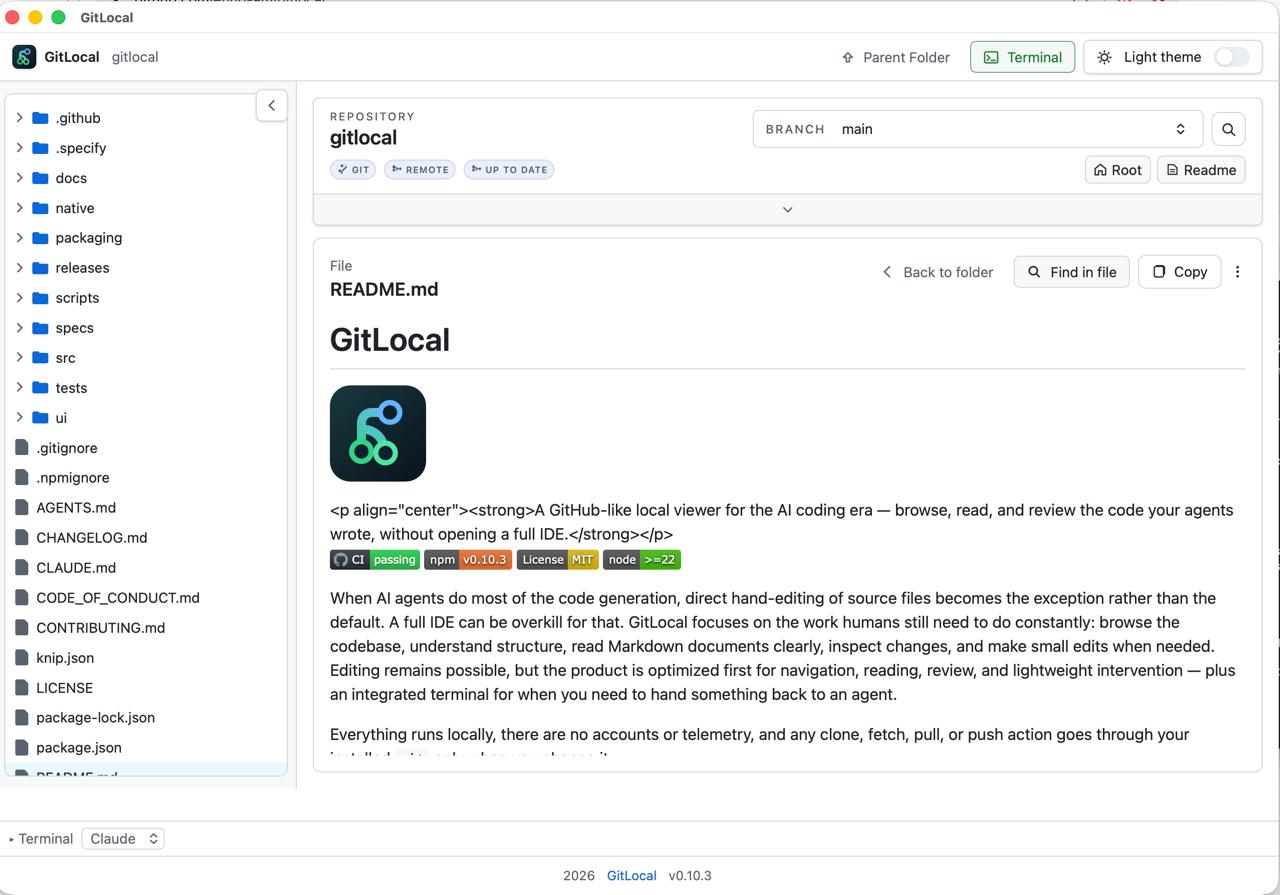
A local, GitHub-style viewer for the code your AI agent wrote. Browse the repo, read Markdown clearly, review what changed, and hand off to a terminal — without opening a full IDE.
npx gitlocal

Pick a topic to see what it does.
A lazy-loading, keyboard-navigable file tree for regular folders and git repositories, right on your machine.
Learn more →Repository-wide search with current-folder and Markdown-focused scopes, plus file-level find inside the current file.
Learn more →GitHub-like rendering with relative links, heading anchors, find highlights, and share/copy actions. No IDE required.
Learn more →Built-in viewers for PDF, SVG, CSV, Excel, and PowerPoint files alongside Markdown and images, rendered locally where GitHub's web UI often falls back to a raw download link.
Learn more →A changed-files panel for modified, deleted, untracked, generated, and local-only paths, plus active-file refresh notices.
Learn more →A plain-language repository summary — branch, remote, sync, and local changes — backed by technical detail when you need it.
Learn more →Create, update, and delete files right from the viewer, with warnings before you lose unsaved work and protection against overwriting changes made elsewhere.
Learn more →A built-in terminal docked to the right, left, or bottom of the window, so you can run Claude, Codex, or any command without leaving GitLocal.
Learn more →Choose the npm package for any OS, or the native macOS app if you'd rather skip the terminal.
npm install -g gitlocal
gitlocal .
Opens in your default browser. Keep the terminal window open while you use it.
brew tap ehud-am/gitlocal
brew install --cask gitlocal
xattr -dr com.apple.quarantine /Applications/GitLocal.app
No terminal needed after install. This beta build is unsigned, so run the command above once — without it, Gatekeeper blocks the app from opening at all.
Requirements, upgrade steps, and troubleshooting are in the full install guide.
GitLocal is made for people working with AI coding tools, and it gets better when you tell us what you need. You don't have to write code to take part.
Tell us what you wish GitLocal did, or what got in your way. Describe the job you're trying to get done and we'll work out the rest together.
Post in Discussions →Something look wrong or break? Open an issue in plain language. A screenshot is plenty, and no technical detail is required.
Open an issue →Pick up an open issue or propose a change. Building it with Claude, Codex, or another AI coding tool is welcome.
How to contribute →Taking part happens on GitHub and needs a free GitHub account. GitLocal itself still has no accounts and no telemetry. More ways to take part →